Test responsive layouts & checkouts across every device and OS.
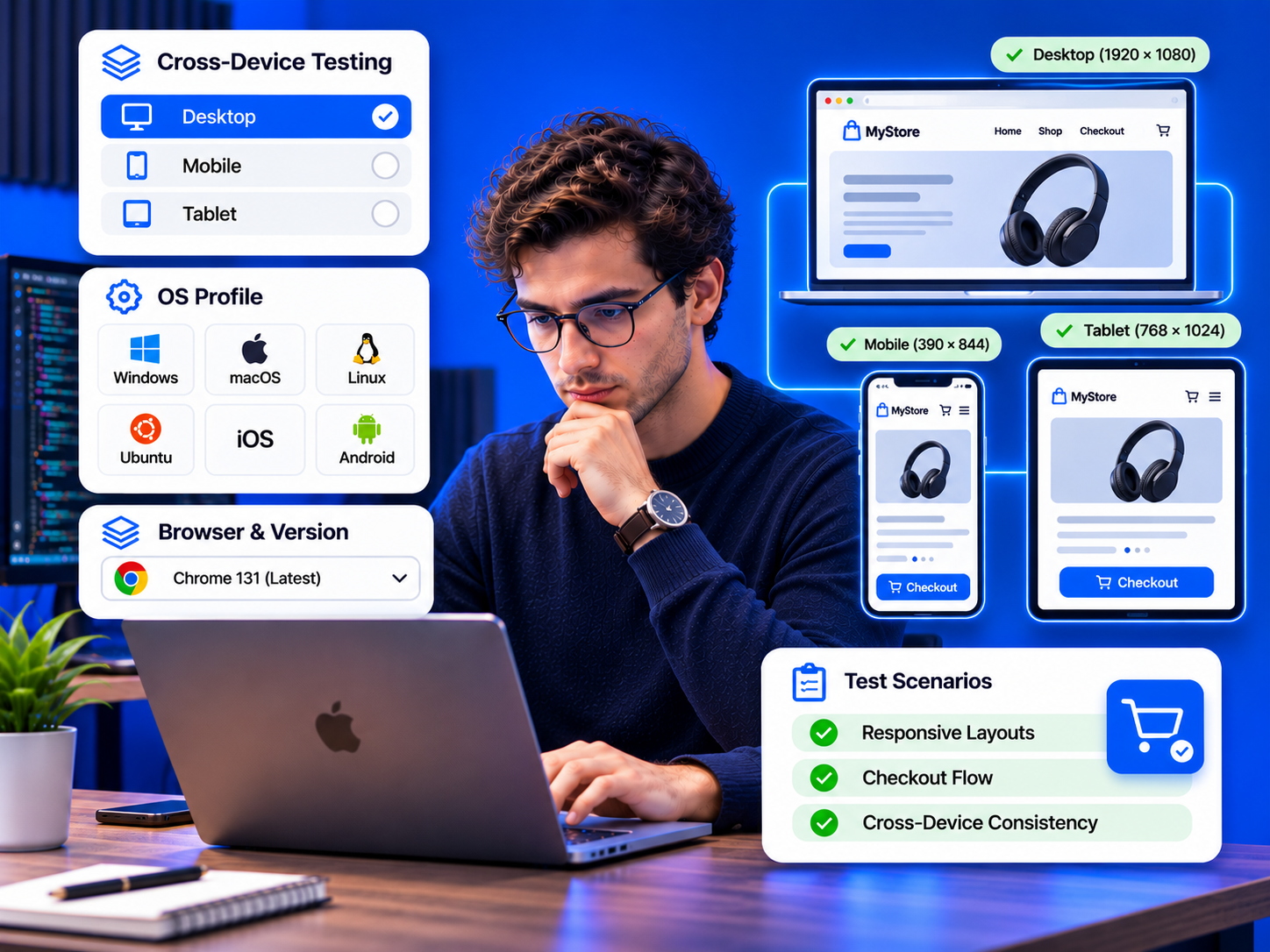
Launch isolated local Chrome, Edge, or Brave sessions configured with authentic desktop, mobile, and tablet viewports, OS profiles, and browser builds—without juggling virtual machines.
Why Manual Workarounds Break — and How TheGeoBrowser Fixes It.
Where Conventional QA Struggles
- × Browser DevTools responsive mode ignores OS-level User-Agent, Client Hints, and local geo-routing behaviors.
- × Cloud VM farms add latency and make inspecting authenticated staging checkouts slow and repetitive.
- × Shared QA machines leak cookies and local storage across test runs, causing false passes on signup and cart flows.
Clean, Consistent Local Execution
- ✓ Every launch spins up a fresh temporary Chromium profile directory that is automatically purged on close (or saved only when Persistent Profile is toggled on).
- ✓ Synchronizes viewport dimensions, touch capabilities, User-Agent, Client Hints, and WebGL metadata to match the selected device and OS.
- ✓ Executes locally on your installed Chrome, Edge, or Brave binary for instant 60fps interaction and full DevTools access.
- Target City
- London, United Kingdom
- Device Viewport
- Smartphone (390×844 · Touch)
- Operating System
- iOS / Mobile Profile
- Browser Engine
- Safari / Chromium Engine
- Network Routing
- Trial Relay or BYOP Wallet Sticky IP
“Every team seat stays strictly synced to our proxy concurrency limits, so engineers never collide on shared test IPs during release day.”
Launch Cross-Device & OS Web QA in Seconds.
Pick Your Target City & Network
Start with the Free Trial relay or select a saved Decodo, Bright Data, or custom SOCKS5 proxy inside your BYOP Wallet.
Select Device, OS & Browser Profile
Choose Desktop, Mobile, or Tablet, pair with Windows, macOS, Linux, iOS, or Android presets, and pick your target browser build.
Inspect Live Flows in Local DevTools
Run multi-step logins, responsive breakpoints, and payment webhooks in a clean, zero-leak window on your desktop.
Related Use Cases
City Redirects & Localization
Audit geo-IP redirects, regional VAT/GST calculations, shipping rules, and localized storefront banners exactly as shoppers in Berlin, Paris, Tokyo, or New York experience them.
Ad Verification & Compliance
Confirm programmatic creatives, affiliate redirects, and regulated disclosures render properly in the exact cities and devices your campaigns target—without VPN footprints.
Price Parity & Intelligence
Audit dynamic airline fares, hotel rates, SaaS PPP pricing, and competitor catalogs across APAC, EU, and North America without cookie tracking or bandwidth markups.

See the web
differently.
Simulate authentic user visits from any city, device, OS, and browser version. Start with 100 MB one-time free proxy data, or bring your own Decodo, Bright Data, or HTTP/HTTPS/SOCKS5 proxy on Pro.
- ✓ Windows 10/11 PC via Microsoft Store (macOS & Linux coming soon)
- ✓ Locally installed Chrome, Edge, or Brave for isolated real-browser sessions
- ✓ LinkedIn sign-in + BYOP proxy for Pro (100 MB one-time free proxy data included)
No unverified website binaries — always install from your official OS store.