Inspect every fingerprint, IP, screenshot, and billing record in one place.
Verify sessions in real time with an in-window HUD and screenshot capture, then audit your complete history with Date & Time filtering, Single/Multi filters, CSV exports, and built-in issue reporting.
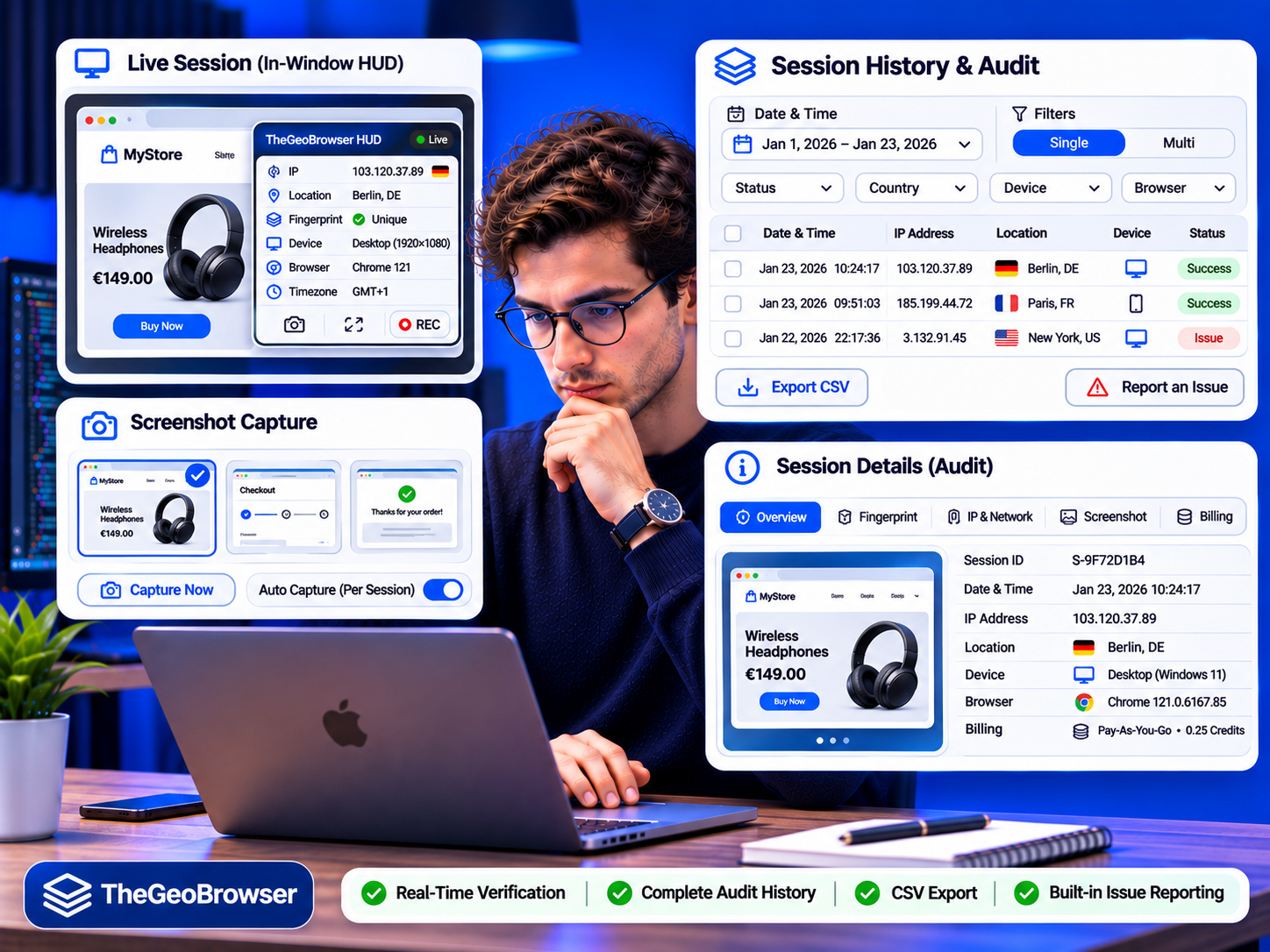
How Audit Logs, Screenshots & Inspector Works in TheGeoBrowser.
Live In-Window HUD & Timed Auto-Close
Display a floating HUD inside each launched browser with live elapsed timer, optional auto-timeout (5m, 15m, 30m, or 60m), and 1-click Viewport or Full-Page PNG screenshot buttons.
Powerful History Search & Date/Time Filters
Filter session logs by Single Session vs. Multi Sessions, Completed vs. Failed status, Desktop/Mobile/Tablet, or Date & Time range presets (Last 1h, 24h, Today, Last 7d, or custom From/To) and export Excel-ready UTF-8 CSV reports.
7-Tab Inspector & Session Issue Reporting
Inspect coordinates, User-Agent, exit IP, per-session billing charge/refund status, captured screenshots, and raw config JSON—or attach a screenshot to report a broken session directly to support.
- Live Session HUD
- Elapsed countdown timer + Viewport & Full-Page PNG capture
- History Filtering
- Text search, Mode (Single/Multi), Status, Device & Date/Time range
- Export Formats
- Excel-compatible UTF-8 BOM CSV & Raw Config JSON
- Workflow Recovery
- 1-click Relaunch / Revisit URL & built-in Session Report tool
Why Teams Rely on Audit Logs, Screenshots & Inspector.
Explore More Product Features
Precise City Geolocation
Drill past country-level exits to exact metropolitan cities worldwide—pairing residential ISP routing with city-accurate coordinates, timezones, and regional locales.
Device & OS Simulation
Pair realistic screen dimensions, pixel ratios, and touch support with Windows, macOS, Linux, Ubuntu, iOS, and Android OS profiles—aligned across User-Agent, Client Hints, and WebGL.
Geo-Consistent Environments
Changing an IP alone triggers mismatched clocks, wrong languages, and WebRTC leaks. TheGeoBrowser synchronizes all five environment layers inside a clean per-session sandbox.

See the web
differently.
Simulate authentic user visits from any city, device, OS, and browser version. Start with 100 MB one-time free proxy data, or bring your own Decodo, Bright Data, or HTTP/HTTPS/SOCKS5 proxy on Pro.
- ✓ Windows 10/11 PC via Microsoft Store (macOS & Linux coming soon)
- ✓ Locally installed Chrome, Edge, or Brave for isolated real-browser sessions
- ✓ LinkedIn sign-in + BYOP proxy for Pro (100 MB one-time free proxy data included)
No unverified website binaries — always install from your official OS store.